

Blog
Type C to C cable

What Is a Type C to C Cable?
A Type C to C cable, also known as a USB-C to USB-C cable, has a USB Type-C connector on both ends. This allows compatible USB-C devices to connect directly to other USB-C equipment.
For example, it can connect a smartphone to a USB-C charger or power bank, or connect a compatible laptop to a USB-C docking station.
USB-IF describes USB Type-C as a connector system designed for modern devices and specifically highlights its reversible plug orientation and scalable power and performance capabilities.
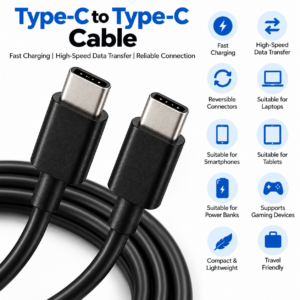
Type C to C cable
Charging with a Type C to C Cable
One of the most common uses for a USB-C to USB-C cable is charging compatible devices.
It can connect compatible equipment to:
- 🔌 USB-C wall chargers
- 🔋 USB-C power banks
- 💻 USB-C laptops and computers
- 🚗 Compatible USB-C car chargers
- 🖥️ Compatible USB-C monitors
- ⚡ Other suitable USB-C power sources
Charging performance depends on the cable, charger and device. USB Power Delivery can support high-power charging when compatible equipment is used. USB-IF’s current USB PD specifications support power levels up to 240W under the appropriate requirements.
This means a Type C to C cable should not automatically be described as a high-wattage or fast-charging cable unless its specifications confirm that capability.
Type C to C Cable for Data Transfer
A Type C to C cable can also be used to transfer data between compatible USB-C devices.
Common applications include:
- 📸 Transferring photos
- 🎥 Moving videos
- 📄 Transferring documents
- 🎵 Moving music files
- 💾 Connecting external storage
- 💻 Connecting smartphones to computers
- 🔄 Managing compatible files
Data-transfer performance varies between USB-C cables. USB-IF explains that USB-C cables can support different USB technologies, including USB 2.0, USB 3.2 and USB4.
For example, USB 3.2 can provide 5Gbps, 10Gbps or 20Gbps transfer rates depending on the implementation.
Which Devices Can Use a Type C to C Cable?
USB-C is used across a wide range of modern electronics.
Smartphones and Tablets
Compatible smartphones and tablets can use USB-C to USB-C cables for charging and, where supported, data transfer.
Laptops and Computers
Many modern laptops and computers include USB-C ports. A Type C to C cable can connect compatible devices for charging, data or other supported functions.
Power Banks
USB-C power banks can use Type C to C cables to charge compatible smartphones, tablets and other devices.
Other Electronics
Compatible cameras, gaming devices, monitors, headphones, speakers and external storage products may also use USB-C connections.
The exact functions available depend on the device and its USB implementation.
USB-C Cable Speed Matters
One of the most important things to understand when buying a Type C to C cable is that all USB-C cables are not identical.
A USB 2.0 Type-C cable supports USB 2.0 functionality and cannot carry USB 3.2 or USB4 signals.
Higher-specification USB-C cables can support substantially greater data performance. USB4 can support up to 80Gbps with appropriate certified cables and compatible equipment.
Therefore, if you regularly transfer large video files or use high-speed external storage, check the cable’s actual data specification rather than relying simply on the USB-C connector.
How to Choose a Type C to C Cable
Check Charging Requirements
If the cable is primarily for charging, check the power requirements of your device and charger.
Check Data Speed
For large file transfers, look for a cable with the appropriate USB data specification.
Check Cable Length
Choose a practical length for your setup. Shorter cables can be convenient for portable charging, while longer cables may be useful at desks or charging stations.
Check Compatibility
Make sure both connected devices support the function you need. USB-IF notes that cables can have different capabilities and recommends selecting one appropriate for the intended USB environment.
Advantages of a Type C to C Cable
- 🔌 Type-C connectors on both ends
- 🔄 Reversible connector design
- ⚡ Supports compatible charging
- 💾 Supports compatible data transfer
- 📱 Suitable for compatible smartphones
- 📱 Suitable for tablets
- 💻 Suitable for compatible laptops
- 🔋 Suitable for compatible power banks
- 🖥️ Suitable for compatible monitors
- 🎮 Supports compatible gaming devices
- 🪶 Compact and portable
- ✈️ Convenient for travel
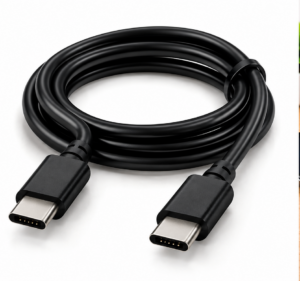
Type C to C Cable
Are There Any Limitations?
The main limitation is that USB-C does not automatically mean the highest charging or data-transfer performance.
Two Type C to C cables can look almost identical while supporting different power and data capabilities. USB-IF’s cable guidance confirms that USB-C cables have different capabilities and that users should select cables according to their intended requirements.
For this reason, always check the cable specifications before purchasing, particularly if you need high-power charging, fast file transfers, display connectivity or other advanced USB functions.
Frequently Asked Questions
What is a Type C to C cable used for?
A Type C to C cable is used to connect compatible USB-C devices for charging, data transfer and other supported USB functions.
Is Type C to C better than USB-A to USB-C?
It depends on the devices and the required performance. Type C to C allows a direct connection between two USB-C ports, while USB-A to USB-C is useful when one device has a USB-A port.
Can a Type C to C cable fast charge a phone?
It can support fast charging when the cable, charger and phone all support the required charging technology and power level.
Do all Type C to C cables transfer data at the same speed?
No. USB-C cables can support different USB data specifications, so transfer speeds vary.
Conclusion
A Type C to C cable is a versatile accessory for modern USB-C devices, providing a convenient connection for charging and compatible data transfer. Its reversible connectors make everyday connections simple, while its applications extend across smartphones, tablets, laptops, power banks and other electronics.
When choosing a Type C to C cable, look beyond the connector itself. Check the charging capability, data-transfer specification, cable length and device compatibility to ensure the cable matches your requirements.
For everyday charging and connectivity, choose a Type C to C cable that is appropriately specified for your devices and intended use.