12-in-1 USB Hub
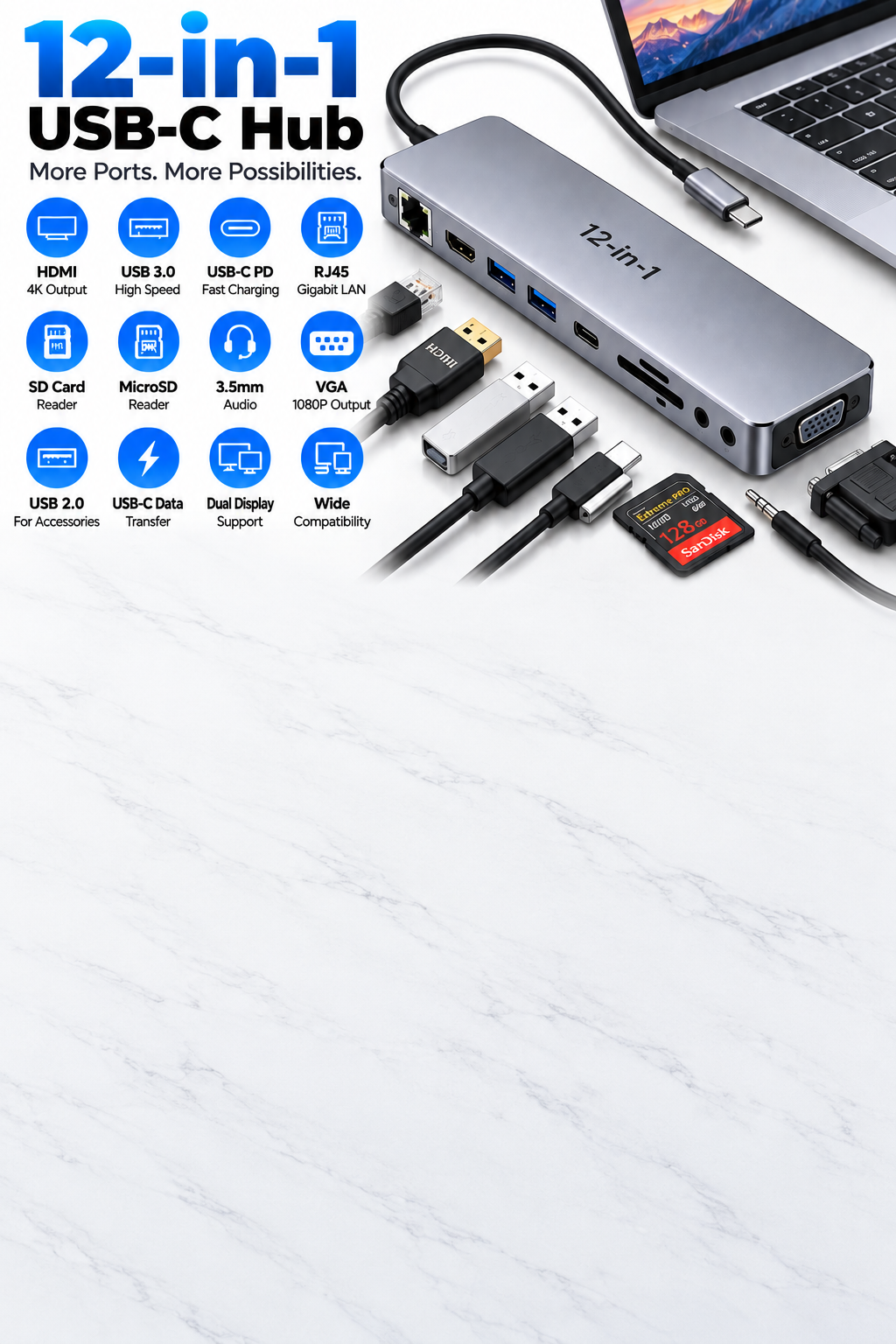
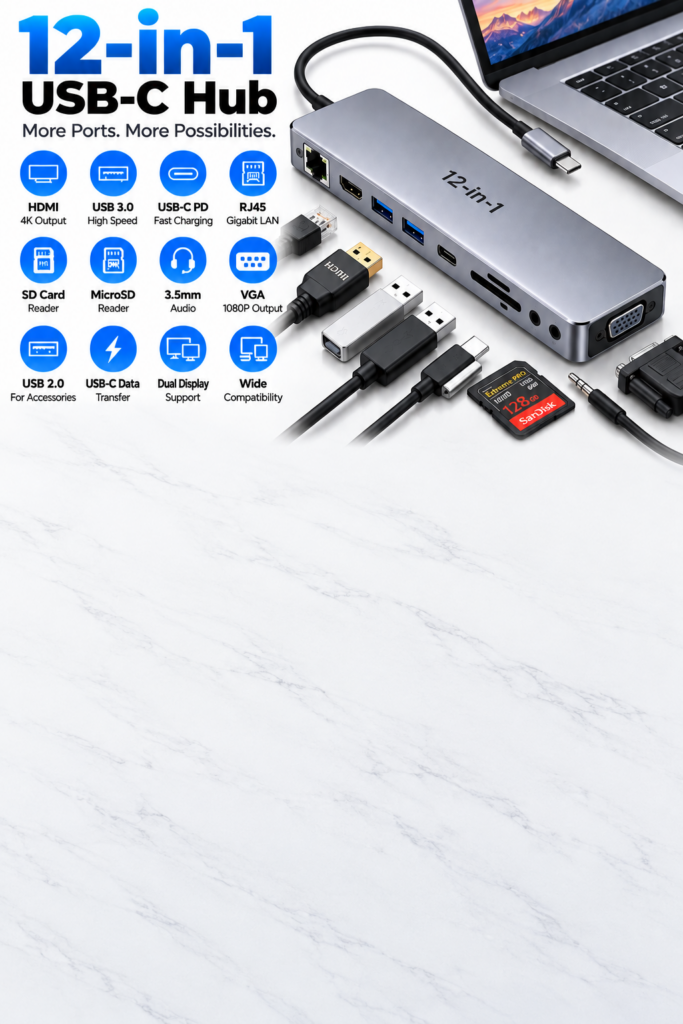
The 12-in-1 USB Hub is a versatile connectivity accessory designed to expand the available ports on compatible laptops, tablets and other USB-C devices. Instead of carrying multiple individual adapters, this multi-port hub brings a wide range of connections together in one compact device. It can provide convenient access to USB ports, HDMI display connectivity, SD and microSD card readers, USB-C connectivity and other interfaces, depending on the specific model.
Whether you work from home, study, travel frequently, manage digital files, connect external displays or use several computer accessories, a 12-in-1 USB hub can make your workstation more flexible and convenient.
12-in-1 Multi-Port Connectivity
The main advantage of a 12-in-1 USB hub is the ability to connect multiple types of peripherals through one compact accessory.
With the appropriate configuration, the hub can provide connections for:
- USB-A accessories
- USB-C devices
- HDMI displays
- SD memory cards
- MicroSD memory cards
- External storage devices
- Keyboards and mice
- Printers and other USB peripherals
- Compatible chargers
- Monitors, projectors and televisions
The exact twelve ports can vary between models, so customers should check the product specifications to confirm the available interfaces.
Expand Your USB-C Device
Modern laptops and tablets often have a limited number of physical ports. A 12-in-1 USB hub provides a practical way to expand connectivity when additional peripherals are required.
Simply connect the hub to a compatible USB-C port and use the available ports for your accessories.
It can help you:
- Connect several peripherals simultaneously
- Reduce the need for individual adapters
- Create a more flexible workstation
- Access external storage
- Connect compatible displays
- Read memory cards
- Connect common USB accessories
USB-A Connectivity
USB-A ports remain widely used for everyday computer accessories. Depending on the hub configuration, the available USB-A ports can be used with compatible devices such as:
- Keyboards
- Computer mice
- USB flash drives
- External hard drives
- External SSDs
- Printers
- USB receivers
- Other compatible peripherals
This makes the hub particularly useful for laptops that have transitioned towards USB-C while users still need to connect older USB-A accessories.
USB-C Connectivity
The USB-C interface provides the main connection between the hub and a compatible host device. USB-C connectors are reversible, making them convenient to connect.
Depending on the specific hub and host device, USB-C ports may provide functions such as:
- Data transfer
- Power Delivery pass-through
- Connection to compatible USB-C peripherals
- Charging support
- Host-device connectivity
It is important to remember that USB-C describes the connector type and does not automatically guarantee a particular data speed, charging capability or display function. The specifications of the hub and host device should always be checked.
HDMI Display Connectivity
A compatible HDMI port allows the hub to connect a laptop or other supported host device to an external display.
This can be useful for:
- Computer monitors
- Televisions
- Projectors
- Meeting-room displays
- Presentation screens
An external display can provide additional workspace for applications, documents, spreadsheets, research and other tasks.
Supported resolution, refresh rate and display modes depend on the hub, host device, graphics capabilities and connected display.
SD Card Reader
The integrated SD card reader provides convenient access to files stored on compatible SD memory cards.
It can be useful for:
- Digital cameras
- Video cameras
- Photography equipment
- File transfers
- Document storage
- Media management
Users can connect a compatible SD card and access supported files directly from their computer or tablet.
MicroSD Card Reader
The microSD reader provides another convenient option for accessing files stored on compatible microSD cards.
It can be useful for transferring:
- Photos
- Videos
- Documents
- Music
- Other compatible files
This feature is particularly convenient for users who regularly work with portable devices and memory cards.
Convenient Data Transfer
A multi-port USB hub can simplify the process of moving files between compatible storage devices and a computer.
For example, users can connect:
- USB flash drives
- External storage
- SD cards
- MicroSD cards
- Compatible smartphones
- Cameras and other USB devices
Actual transfer performance depends on the specifications of the individual hub port, connected device, cable, storage media and host computer.
Power Delivery Support
Some 12-in-1 USB hubs include a USB-C Power Delivery pass-through port. This can allow a compatible charger to provide power to the connected host device while the hub is being used.
This is useful when several accessories are connected and the laptop or tablet still needs to remain powered.
Power Delivery performance depends on:
- The hub
- Compatible USB-C charger
- USB-C cable
- Host device
- Power requirements of connected accessories
The presence of a USB-C port does not by itself guarantee Power Delivery support.
Suitable for Multiple Workstations
The 12-in-1 USB Hub can be used to create a more convenient connection setup in different environments.
Home Office
Connect compatible displays, keyboards, mice, storage devices and other peripherals to create a practical home workstation.
Office
Use the hub to connect your laptop to workplace accessories and external displays where supported.
Study
Students can connect compatible keyboards, mice, storage devices, displays and other accessories for studying and online learning.
Travel
The compact design makes it convenient to carry a selection of essential connections without taking several individual adapters.
Useful for Photography and Media Files
Photographers and content creators can benefit from having SD and microSD card access together with USB connectivity.
The hub can help users:
- Access camera memory cards
- Transfer photographs
- Move video files
- Connect external storage
- Organise media files
- Back up compatible content
The actual workflow will depend on the camera, memory card, computer and hub specifications.
Compact and Portable Design
Despite offering multiple connectivity options, the 12-in-1 USB hub is designed to keep essential connections together in one accessory.
Its compact design makes it convenient for:
- Laptop bags
- Backpacks
- Office desks
- Home workstations
- Study areas
- Business travel
- Remote working
Instead of carrying several separate adapters, users can carry one multi-port hub for their commonly required connections.
Simple to Use
The hub is designed for straightforward everyday use with compatible devices.
A typical setup involves:
- Connect the hub to a compatible USB-C port.
- Connect the required accessories to the hub.
- Connect an external display or storage device where required.
- Use the connected peripherals through the host device.
- Disconnect the hub when it is no longer required.
Some features may depend on the operating system, host-device specifications or additional drivers.
Ideal For
The 12-in-1 USB Hub is suitable for:
- 💻 Laptop users
- 🎓 Students
- 🏠 Home-office users
- 💼 Business professionals
- 👨💻 Remote workers
- 📸 Photographers
- 🎥 Content creators
- 🖥️ Multi-display workstation users
- 🧑🏫 Presentation users
- ✈️ Frequent travellers
- 📁 Users who regularly transfer files
Advantages of a 12-in-1 USB Hub
- 🔌 Multiple connectivity options in one device
- 💻 Expands compatible USB-C devices
- 🖥️ Supports compatible external displays
- 💾 SD card access
- 💾 MicroSD card access
- ⌨️ Supports compatible keyboards and mice
- 💽 Supports compatible external storage
- ⚡ Power Delivery support where available
- 📁 Convenient file management
- 🪶 Compact and portable
- 🎒 Travel friendly
- 🏠 Suitable for home and office use
- 🎓 Useful for study and online learning
- 💼 Suitable for professional workstations
- 🔄 Convenient connection of multiple peripherals
What to Consider Before Buying
Before purchasing a 12-in-1 USB hub, check the specifications carefully.
Check the Port Configuration
Not every 12-in-1 hub has the same twelve ports. Confirm that the model includes the connections you actually need.
Check USB-C Compatibility
Make sure your laptop, tablet or other host device has a compatible USB-C port that supports the functions you require.
Check Display Support
If you plan to connect an external monitor or projector, check the supported HDMI resolution, refresh rate and display functionality.
Check Data Transfer Specifications
USB ports can have different capabilities. Check the advertised speed of the specific port rather than assuming all USB ports provide the same performance.
Check Power Requirements
If you need to charge your laptop through the hub, confirm that the hub supports Power Delivery pass-through and that your charger and host device are compatible.
Check Memory Card Compatibility
If you intend to use SD or microSD cards, verify that the hub supports the card types and capacities you use.
12-in-1 USB Hub vs Individual Adapters
Using individual adapters can provide specific connections, but it can also mean carrying several accessories.
A 12-in-1 hub combines multiple interfaces into one device, making it more convenient for users who regularly need several connections.
Individual adapters may be suitable when:
- You only need one specific connection.
- You rarely connect multiple peripherals.
- You want a specialised adapter.
A multi-port hub may be useful when:
- You regularly use several peripherals.
- Your laptop has limited ports.
- You need memory-card access.
- You connect external displays.
- You want to reduce the number of adapters you carry.
What Customers Get
Included accessories, cable configuration and exact port selection may vary according to the product version.
Final Product Summary
The 12-in-1 USB Hub provides a convenient way to expand connectivity on compatible USB-C laptops, tablets and other devices. By combining multiple interfaces in one compact accessory, it can make it easier to connect displays, USB peripherals, external storage and memory cards while helping keep your workstation organised.
It is suitable for home offices, workplaces, study environments, photography, content creation, presentations and travel. Before purchasing, check the exact twelve-port configuration, USB specifications, display support, Power Delivery capabilities and compatibility with your device to ensure the hub meets your requirements.




Reviews
Clear filtersThere are no reviews yet.